Beauty Camera: Selfie Editor
o16i AppsBeauty
4.121.00 Reviews
- Version
- 16.1
- Installs
- 1.00M
- Age Rating
- Everyone
Screenshots
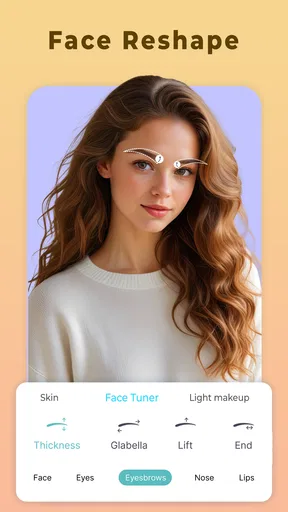
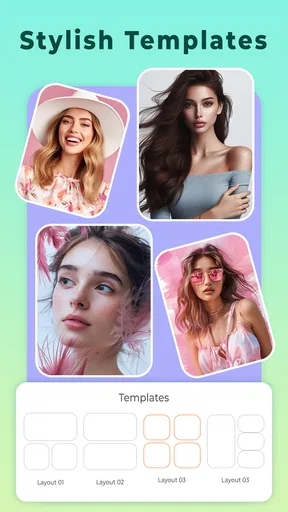
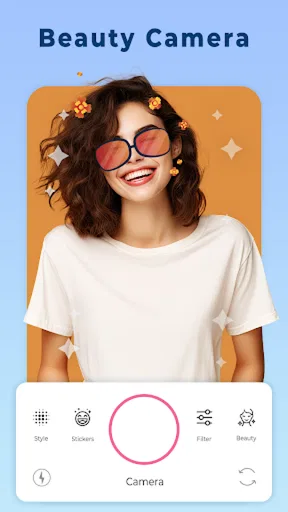

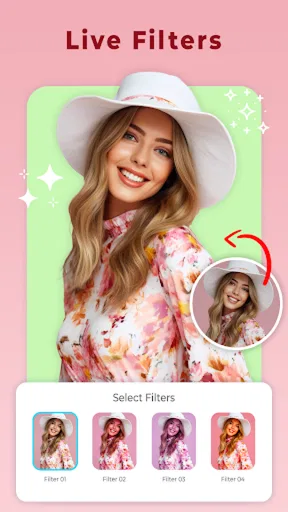
Our Review of Beauty Camera: Selfie Editor
 Analysis by Appyee
I tend to judge a selfie editor by how much control it gives me before I share a picture, not by how many effects it can put on a face. That matters with a beauty app, where a small adjustment can look polished but too many can make a photo feel unlike the person in it. Beauty Camera: Selfie Editor is aimed at quick portrait edits, with camera effects, filters, makeup tools, stickers and other ways to personalize a shot. My cautious approach is to start with a light touch, compare the result with the original, and decide whether the picture still feels like mine.
Trust begins with choices, not assumptions
Beauty Camera is a free beauty app from o16i Apps, and its average rating is 4.1 from around 6,400 ratings. It has over a million installs, which suggests it has found an audience, but popularity alone doesn’t tell me whether an editing style or a particular set of tools will suit me. I’d treat those figures as context, then judge the app by my own results and by the choices I can see while using it.
The app is for everyone, and it was released in September 2018. Version 16.1 is listed for Android 6.0 and up. Those details help set expectations about compatibility, but they don’t answer personal questions about how a specific phone handles image editing. I’d check that it installs and behaves as expected on my device before making it part of a regular photo routine.
What to check before editing a personal photo
Selfies can be more personal than ordinary snapshots, so I like to pause before granting any app access it requests. I would read each permission prompt in context and ask whether it makes sense for the action I’m trying to take. Access needed to choose a picture, for example, is different from a request that appears unrelated to editing; if I’m unsure, I’d stop and look at the options on my phone rather than tap through automatically.
There are also visible decisions within the editing process. I can choose whether to use a filter, add makeup, reshape a feature, or leave the image alone. That doesn’t tell me how an app handles information behind the scenes, so I wouldn’t treat the editing controls as a privacy guarantee. I’d avoid using sensitive images until I’m comfortable with the app’s permission prompts and the privacy information available to me.
Keep a clean original and edit with intent
My most useful habit with any selfie editor is to keep an untouched copy before experimenting. That gives me a fair comparison and makes it easier to undo a look that seemed appealing in the moment but feels too strong later. With Beauty Camera, I’d test one change at a time: first a filter, then perhaps a makeup effect, rather than stacking every option before checking the overall result.
That approach is especially helpful when I’m making a profile image or a photo I might share beyond close friends. A soft effect can brighten the mood of a portrait, while obvious reshaping may distract from the expression or make the lighting look inconsistent. I’d use the app to explore, then step back and ask whether the image still looks natural at its intended size.
Getting Started with Beauty Camera
First off, downloading Beauty Camera: Selfie Editor was a breeze. Available on both Android and iOS, it was just a quick search and tap away. Once installed, the interface was pretty intuitive, which I appreciated. You’re greeted with a friendly layout that’s not too overwhelming, even if you’re new to selfie editing apps.
Features That Stand Out
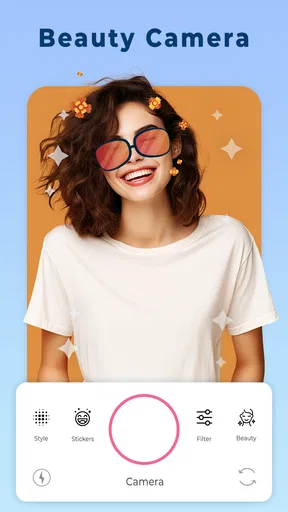
Now, let’s talk features. This app is loaded with fun and useful tools. The real-time beauty effects are impressive—no need to spend hours editing after you’ve snapped a photo. You can see adjustments live, which is perfect for capturing the right angle.
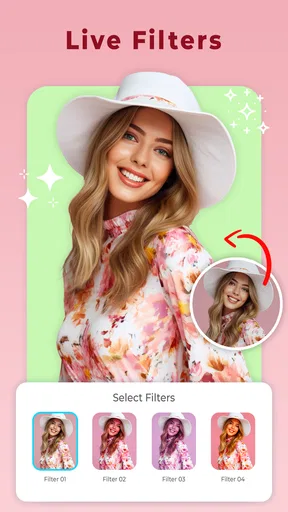
There’s a whole palette of filters to choose from, ranging from subtle enhancements to bold transformations. Whether you’re going for a natural look or something more dramatic, there’s a filter for you. I found myself playing around with these quite a bit, and it’s super easy to switch between them.
Face slimming and skin smoothing are other handy features. They’re subtle enough to enhance your natural look without making you look like a completely different person. The app also offers makeup tools if you’re in the mood to experiment without the hassle of applying real makeup.
Additional Fun Tools
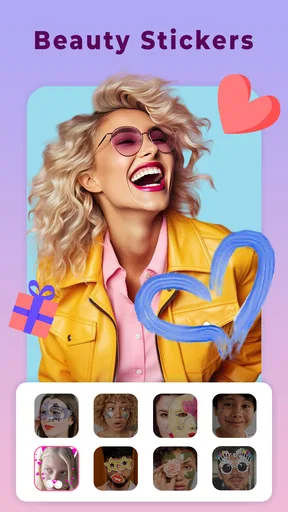
Apart from the standard editing tools, Beauty Camera includes some playful additions like stickers and text options. These can be a fun way to personalize your photos, especially if you’re sharing them on social media.
I also loved the collage feature. It lets you combine multiple pictures into a single frame, which is great for creating thematic posts or just capturing different moods in one go.
Making the tools work for everyday photos
A practical use for this mix of effects is a quick photo before heading out. I might take a selfie in a hallway or near a window, preview a filter, and decide whether the color feels right before I leave. I’d keep the phone at roughly the same distance while comparing looks; otherwise, a change in angle can make a filter seem better or worse than it really is. The live preview is useful here because it lets me make that decision before treating the shot as finished.
For a social post, I’d use the collage option for a small set of related pictures rather than trying to make one image carry the whole story. A few expressions from the same moment can work well together, while mixing photos with very different lighting can make a collage feel untidy. Stickers and text are best used with a specific purpose—such as marking a mood or adding a brief caption—because they can compete with the face if I add them simply because they’re available.
These tools also suit someone who wants to try makeup colors digitally before deciding what look to wear. I’d treat that as playful previewing, not a reliable substitute for seeing real makeup under the same lighting. A screen effect can change the impression of a color, and a filter applied afterward may shift it again. For a realistic reference, I’d keep the lighting consistent and avoid layering multiple effects while making the comparison.
Where it fits among selfie editors
Compared with relying only on a phone’s standard camera, Beauty Camera puts beauty adjustments and decorative options closer to the moment of capture. That can save a separate editing step if I already know I want a softened portrait or a playful finish. A general photo editor may be a better fit when I want detailed control over exposure, color or a wider range of image corrections; this app’s appeal is its selfie-centered combination of appearance effects and quick personalization.
There’s a trade-off in that convenience. A live effect can help me see a look immediately, but it can also influence how I pose or how I judge the unedited image. I’d use the preview as a creative aid, not as a standard for how my face should look. If I mainly take landscapes, product photos or group pictures that need careful color work, I’d reach for a broader editing tool instead of choosing a beauty-focused camera as my main editor.
User Experience and Performance
The app runs smoothly on both platforms, and I didn’t encounter any major glitches or crashes. It’s light on resources, so it shouldn’t slow down your phone, which is always a plus. The editing process is straightforward, and you can share your creations directly to your favorite social media platforms with just a couple of taps.
What’s more, there’s a handy tutorial section if you ever feel stuck. It’s not just about taking pretty pictures; it’s also about learning how to make the most out of the app’s capabilities.
Cost, patience and the right expectations
The app is free to download, with in-app purchases ranging from 49 cents to 99 dollars and 99 cents per item. That wide range is a reason to look carefully at any purchase screen rather than assuming every extra costs the same. I’d first see whether the free tools cover my usual edits, then decide whether a paid option solves a real need. A one-time experiment with filters doesn’t have to turn into a purchase just because the app offers more ways to customize.
One reader may wonder whether this is a good choice for a first-time editor. I think it can be, because the controls are presented in a friendly way and the tutorial gives newcomers somewhere to start. Still, I’d learn by changing one setting at a time, checking the result, and keeping an original photo. That small routine makes it easier to understand what each effect contributes instead of relying on a preset without knowing why the picture changed.
Another practical question is whether it suits someone who wants a natural-looking result. It can, as long as I resist the urge to use every adjustment at once. Filters, skin smoothing, face slimming and makeup effects can each alter the impression of a portrait; combining them makes subtle changes harder to judge. I’d begin with the least noticeable option, review the image at full size, and stop when the edit improves the photo without drawing attention to itself.
When I would choose something else
I wouldn’t make this my first choice for a serious retouching job, a carefully color-matched photo series, or work that needs precise control over every part of an image. Beauty Camera’s strength is a convenient set of selfie-oriented effects, not a promise of professional editing depth. Someone who wants to preserve a completely unaltered portrait should also skip the reshaping and smoothing tools; the default camera is the simpler route when the goal is just to capture a moment as it appears.
I’d also be cautious if I were editing photos of other people. Before changing someone’s face or sharing a sticker-covered picture, I’d make sure they are comfortable with the result. It’s easy to treat playful effects as harmless, but a person may not want their appearance adjusted or a private moment posted. The app makes editing accessible; deciding what is appropriate to edit and share remains my responsibility.
Final Thoughts
So, what’s the verdict? If you’re looking for an app that offers a bit more than your phone’s default camera, Beauty Camera: Selfie Editor might just be what you need. It’s packed with features that are both fun and functional, making it a great tool for casual users and selfie enthusiasts alike.
While the app is free, there are some in-app purchases for additional features. However, even the free version is quite powerful, so you don’t necessarily have to spend to get good results.
Overall, I’d recommend giving it a shot if you want to enhance your selfies without too much hassle. It’s user-friendly, efficient, and a lot of fun to use. Happy snapping!
A measured recommendation
My recommendation is for people who want quick, approachable selfie edits and enjoy testing filters, makeup effects, stickers or collages without moving between several tools. I’d start with a casual picture, keep the original, and see whether the results match my taste before using it for an important post. Its broad audience and accessible starting point make it easy to try, but the best outcome still comes from restraint and a clear idea of what I want the picture to say.
For me, the deciding question is whether the convenience is worth using a beauty-focused editor for the photos I actually take. If it is, the live effects and playful options give me room to experiment. If I care more about detailed image correction, minimal processing or a transparent understanding of every data practice, I’d take time to review the choices presented on my device and consider a different kind of editor. That’s the cautious verdict: useful for expressive, quick portraits, provided I stay deliberate about both the edits and the information prompts I accept.
Verdict
Strengths of Beauty Camera: Selfie Editor
- User-friendly interface for quick edits.
- Wide range of filters to enhance selfies.
- Real-time beauty effects available.
- Supports high-resolution photo saving.
- Frequent updates with new features.
Limitations of Beauty Camera: Selfie Editor
- Contains in-app advertisements.
- Some features require a paid upgrade.
- Can drain battery quickly when in use.
- Limited editing options in free version.
- Occasional lag on older devices.
Other Releases by o16i Apps
View All
Glitter Wallpapers For Girls
Personalization4.8

Send My Location - GPS Tracker
Maps & Navigation4.5

Mirror App - Makeup Mirror
Beauty4.6

Volume Booster:Sound Amplifier
Music & Audio4.5
Similar Picks in This Category
View All
Beauty Makeup Editor & Camera
Photo & Video Editors - Instant Solution4.7

Perfect365: Face Makeup Editor
Perfect365, Inc.3.5

Mirror Plus - HD Mirror app
Digitalchemy, LLC4.8

Cute Lock Screen & Wallpapers
Prometheus Interactive LLC4.6

HD Camera for Android
One Music Player4.5

Phone Mirror app - True Mirror
Cards4.6
Frequently Asked Questions
What features does Beauty Camera: Selfie Editor offer?
Beauty Camera: Selfie Editor is packed with features designed to enhance your selfies. It offers real-time filters, makeup tools, and skin smoothing options. You can also find advanced editing features like blemish removal, teeth whitening, and even background blurring to make your photos stand out.
Is Beauty Camera: Selfie Editor free to use?
Yes, Beauty Camera: Selfie Editor is free to download and use. However, it offers in-app purchases for additional features and content. These optional purchases can enhance your experience by unlocking premium filters, advanced editing tools, and ad-free usage for a smoother editing process.
Does Beauty Camera: Selfie Editor require an internet connection?
While many features of Beauty Camera: Selfie Editor can be used offline, some functionalities, such as downloading new filters and accessing cloud storage, require an internet connection. For the best experience, it is recommended to have a stable connection when using these online features.
Is Beauty Camera: Selfie Editor safe to use with personal data?
Beauty Camera: Selfie Editor takes user privacy seriously. It requires access to your camera and gallery to function properly but doesn’t store or share your photos without permission. Always ensure you download the app from reputable sources like Google Play or the App Store to avoid security risks.
What devices are compatible with Beauty Camera: Selfie Editor?
Beauty Camera: Selfie Editor is compatible with most iOS and Android devices. It requires iOS 10.0 or later for Apple devices and Android 5.0 or higher for Android users. It’s optimized for both smartphones and tablets, ensuring a seamless experience across various screen sizes.
